
How to Search Cases by Name
MiCOURT Case Search is the statewide tool that powers a public Calhoun County case lookup. An informational notice appears first. After that you choose Name Search or Case Number Search. For a name search, you need a last name or business name with at least two characters. First name, middle name, and a four-digit birth year are optional. They narrow things down. Resist piling on filters, though. Broad facts often beat an over-filtered query.
Treat any name match as a lead, not an answer. Check the court, the case ID or number, category, filed date, status, participant roles, and case label. Do that before you trust the result. The entry could be incomplete, delayed, restricted, or belong to someone else with the same name. The portal itself says online information is informational only. It points users to the court of record for the official version.
- Choose the likely Calhoun court route before entering a name.
- Select Name Search and enter a last name or business name of at least two characters.
- Add a first or middle name, a permitted four-digit birth year, or a known date range only when it helps distinguish results.
- Review the court, category, status, and participant information in the result list.
- Open the matching history and use the clerk for a missing document, certified copy, or official confirmation.
| Field label | Type | Required | Calhoun use |
|---|---|---|---|
| Last Name or Business | Text | Yes for Name Search | At least two characters; wildcards are not allowed. |
| First / Middle Name | Text | No | Optional fields that narrow a common name. |
| Birth Year | Four-digit field | No | Use only when appropriate and permitted; four digits are required if entered. |
| Case Category / Status | Filter | No | Categories include Civil, Criminal, Domestic, Probate, Traffic, and others; remove filters after a no-result. |
| Filed Date | Date range | No | Helpful only when a filing period is known. |
Calhoun Case Search Court Codes
Three local court codes sharpen a Calhoun County case lookup. C37 covers the 37th Circuit Court. D10 is the 10th District Court. P13 belongs to the Calhoun County Probate Court. Picking the right code matters. The Circuit Clerk, District Clerk, and Probate Register each keep their own register. So one Justice Center building does not mean one consolidated county case database.
| Code | Calhoun court | Examples of records |
|---|---|---|
| C37 | 37th Circuit Court | Felony, major civil, domestic, family, juvenile, adoption, protective, and county appeal matters. |
| D10 | 10th District Court | Misdemeanor, traffic, civil infraction, ordinance, small claims, and limited civil matters. |
| P13 | Calhoun County Probate Court | Estates, trusts, guardianships, conservatorships, and specified mental-health matters. |
When you already know the court, use the direct routes for C37, D10, and P13. Appeals take two steps. Read the trial-court history first. That history contains the order. Then check the Michigan Court of Appeals file for the separate appellate matter.
Local access points sit alongside the statewide reader on the Calhoun County Courts landing page, the Circuit Court page, and the District Court page.
How to Search by Case Number
Case Number Search works best with an exact number. A court notice, ticket, petition, or older court record may hand you one. Type it exactly as given. Add a case year or type only if you know them. Never rebuild an identifier from a guess. MiCOURT shows formats like 1818003SC and 000001073. It may display a separate type such as SC or DL. But no complete Calhoun code dictionary is published.
A federal number such as 2:26-cv-00197 has its own form and will not work in a C37, D10, or P13 state-court query. If a search returns nothing, check the court. Retype the number from the notice. Drop the optional filters. Then try the direct local court path. A missing online result does not prove a court record never existed.
Calhoun Case Search No-Wildcard Rule
MiCOURT blocks wildcard searching in the last-name, first-name, and case-number fields. The name field also rejects anything shorter than two characters. A birth year must run four digits. Those validation rules cause many failed searches. Skip the symbols and partial case numbers. Use the broad required name field, then apply only filters you trust.
Facing a common name in Calhoun County? Add a first or middle name, a properly entered birth year where it fits, the right court, a case category, or a narrow filed-date range. If nothing comes back, clear the filters before calling the case absent. Court choice counts for a lot here. A felony may sit in C37, a misdemeanor or traffic matter in D10, and probate work in P13.
Practical check: Copy a known number exactly. For a name search, use the required last name or business name first, then narrow only after the initial results are visible.
What a Case Search Shows
A Calhoun County case-search result can open a Register of Actions. Expect the case header, participants, category, filing date, status, judicial officer, chronological events, hearing settings, and disposition. Public financial information may appear too. Fields shift by category, though. Criminal history may show charges and sentence events. Civil cases differ. They may show service, motions, orders, and judgment. Probate history tends to include petition, fiduciary, notice, hearing, and accounting entries.
| Case header | Court, case number or ID, category, filing date, status, and assigned judicial officer when shown. |
|---|---|
| Participants | Party or participant roles, attorney or professional information, and appearance or service information where public. |
| Chronological register | Event date, action description, filer or issuer where shown, order or document references, and status. |
| Settings | Past or future date, time, room, judicial officer, hearing type, and reset or continuance events when displayed. |
| Disposition | Judgment, dismissal, plea or verdict, settlement, closure, or deferred status as recorded. |
Read a status label as a search or administrative label, not a final result. A hearing row shows a scheduled or entered event, not proof of what happened in court. Some listed events also lack a downloadable document image.
Calhoun Case Search: Free History
MiCOURT's public display costs nothing to use and shows the full case history. It is an index, though. A Register of Actions lists events, not papers. The complaint, motion, order, judgment, transcript, or exhibit stays in the case file. Getting it may still mean a request to the clerk even after the event shows up online. Think of the docket as a map to the record, not the record itself.
Circuit cases are the easiest to pursue. The Circuit Court Clerk posts an email and walk-in route for records from 1984 to the present. Give the clerk the court and the case number. Add the parties you know, the rough year, and the document or event you want. Say whether you need a plain copy or a certified one. Certification runs $10 for one document, plus $1 per certified page. Other court-specific costs should be confirmed directly.
So a free case history earns its keep one way. It finds the right record and pins down the event date. It cannot prove what an unread document actually says.
County vs Statewide Case Search
MiCOURT is the statewide public layer. The C37, D10, and P13 paths simply point that one interface at Calhoun County's courts. There is no separate countywide product that searches every local court at once. The county court pages send visitors to the statewide reader and to local daily schedules, while each clerk keeps the actual court file behind any docket entry a search returns.
| MiCOURT statewide interface | Calhoun direct court route |
|---|---|
| Begins broadly with public Michigan case search options. | Focuses the query on C37, D10, or P13 once the local court is known. |
| Supports name, case number, status, category, and date filters where offered. | Reduces noise when the right Calhoun court code is already known. |
| Shows available public history, subject to exclusions and notices. | Does not turn the public history into an official file or certified record. |
A case date and a case history answer different questions. The Register of Actions shows the case-specific setting; the court's daily schedule shows the day's calendar. Check the history first, then match the listed court, time, room, and case number against the public calendar if you need both.
Calhoun Case Search and MiFile
MiFile is not how the public looks up a case. It is Michigan's electronic filing system, and only certain courts take filings through it. The official directory lists Calhoun's 10th District Court and Probate Court as available. The 37th Circuit Court page says that court is not on MiFile at this time. A filing account is no stand-in for a MiCOURT Register of Actions search. That search remains the public court-history route. The MiFile court list shows which courts currently accept electronic filings.
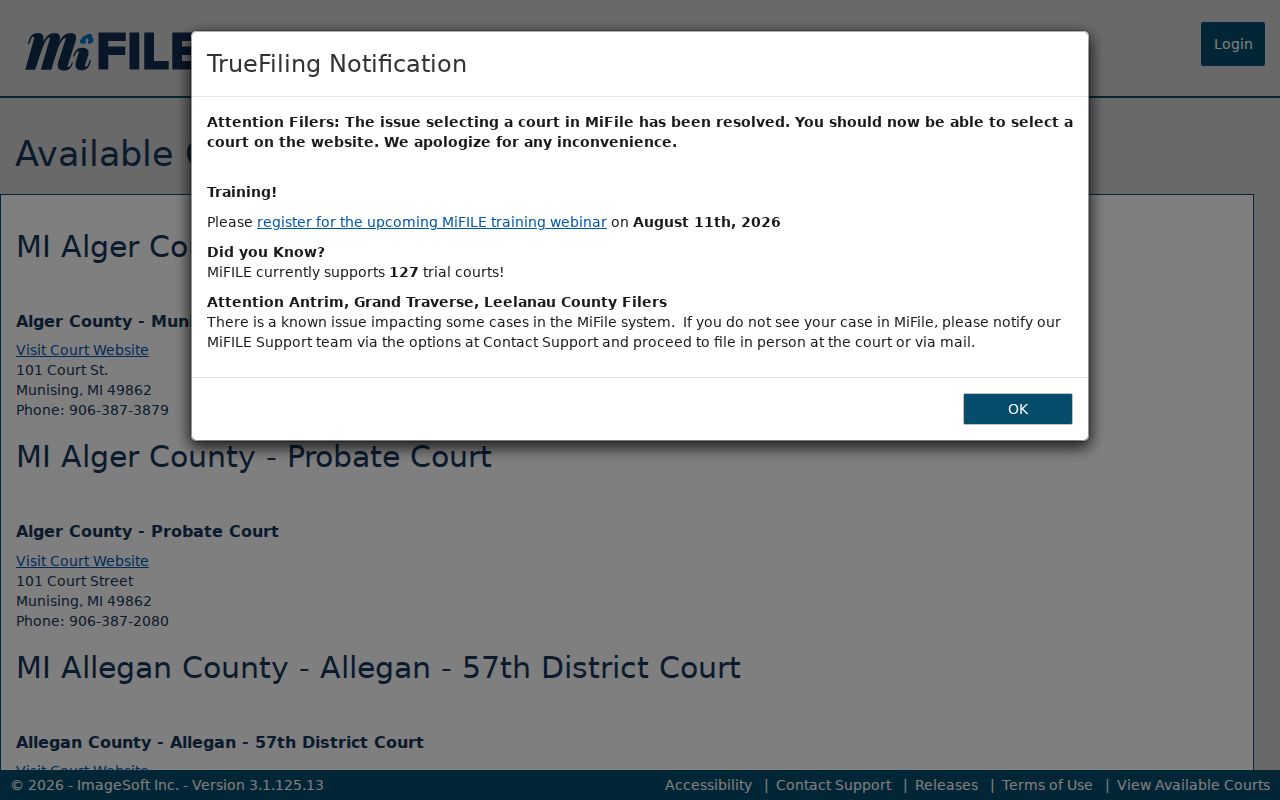
That listing draws a clean line. One route is for eligible electronic filing; the other is the public history you actually use for a Calhoun County case lookup.
Restricted Cases and Access Rules
Public search access has hard edges. MiCOURT excludes or suppresses whole categories. Adoption, juvenile and child-protective proceedings, juvenile guardianships, mental illness matters, name changes, PPO and ERPO cases, wills, and other sensitive types are among them. A restricted case may vanish from name search. It may carry only limited metadata, or show an event with no public document behind it. The public criminal display also carries a seven-year sentence-filter notice. None of this is hiding in the shadows; it is written access policy.
Michigan's court rules push both ways at once. They open public court records while shielding personal identifiers and nonpublic material. Juvenile records are generally nonpublic under MCL 712A.28. Sealed matters follow whatever a court ordered. An online absence marks a search limit, not proof that nothing happened. Ask the right clerk which lawful access path fits. Do not ask anyone to bypass a restriction.
Access authority:
MCR 8.119 governs court-record access and sealing procedures.
MCL 712A.28 limits public access to juvenile records.
Calhoun Case Search Missing Results
An empty result is a puzzle, not a dead end. Work the public channels in order. Confirm the court code and retry the docket search with fewer filters. Case Number Search is the fastest route when you hold the exact number. For a date, compare the case history with the daily docket or CourtDisplay instead of assuming an empty calendar row means a cancellation. Older cases, restricted cases, and missing documents all point the same way: contact the court that owns the record.
The clerk fallback follows the court. The Circuit Clerk holds Circuit records, the District Clerk handles D10 records, and the Probate Register handles P13 records. Do not route a court file request through the county's FOIA process. The county's FOIA page says plainly that courts are not county public bodies for those requests.
One more wrinkle for Circuit cases. The clerk's 1984-present, 1948-1983 microfilm, and pre-1948 archival paths each work differently from the free online history, so the age of the record decides where your request goes.